Getting Started with FFA PVP Club
Your first session checklist — menus, dailies, upgrades, and surviving the courtyard.
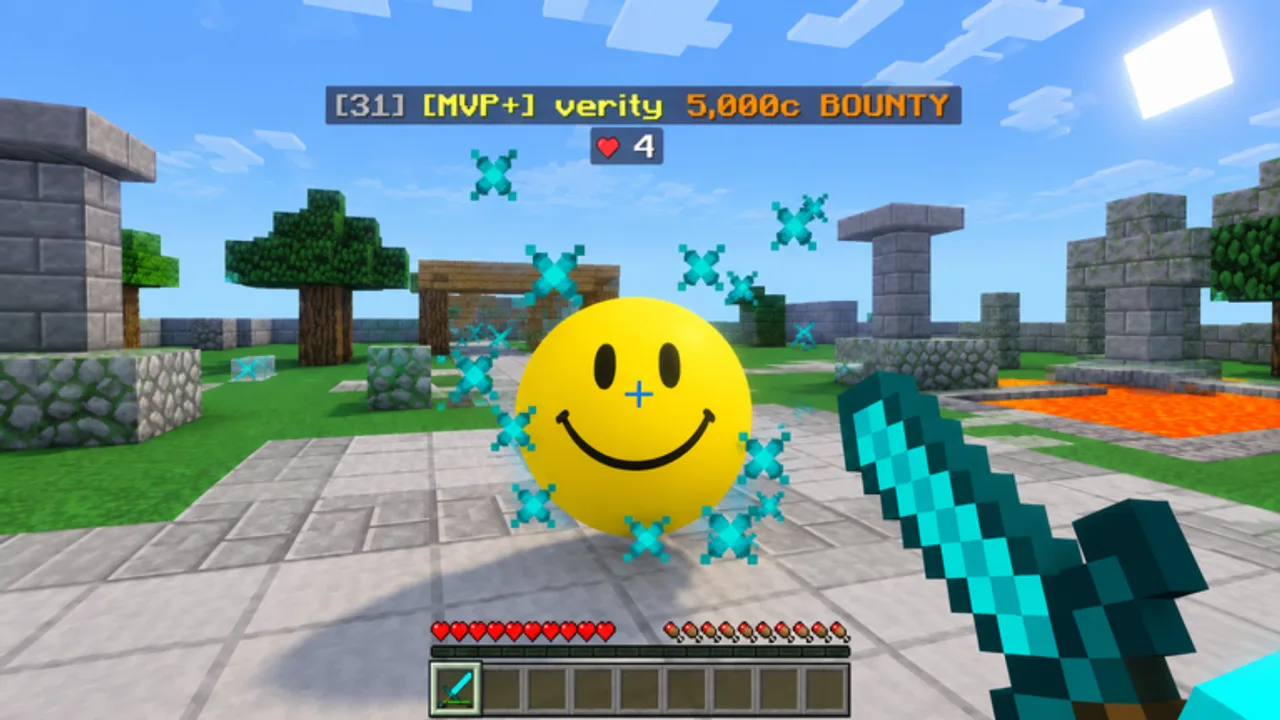
Welcome to the club
FFA PVP Club (also called 1.8 PVP Club) is a free Roblox battleground by the 1.8 PVP Community. Released on 2 September 2026, it ports the feel of Minecraft 1.8.9 sword PvP into Roblox: click combat, sprint resets, knockback, diamond sword pressure, bows, golden apples, and sneaking — with levels, an Upgrade Shop, cosmetics, crates, Daily Rewards, Duels, and a global kills leaderboard. Servers hold roughly twenty players. This page is your day-one script so you do not waste the first hour confused in a menu.
Official place: FFA PVP Club on Roblox. Group: 1.8 PVP Community. More links live on Official Links.
Step 1 — Join and spawn clean
- Open the Roblox experience on PC, mobile, or console.
- Wait for full character load before spamming movement keys.
- Look around: courtyard structures and wool floor sections are your arena language for the rest of the wiki.
- Expect immediate aggression — this is FFA, not a protected tutorial island.
If performance stutters, lower graphics once in Roblox settings, then return. Input clarity matters more than shadows when learning sprint resets.
Step 2 — Learn the HUD and menus
Click through every major menu once so mid-fight panic does not hit:
- Upgrade Shop — spend levels/progress on combat power
- Robux Shop — paid offerings; skip on day one unless you already planned a purchase
- Cosmetics and Cosmetic Crates — visuals only; fun later, not required to win
- Daily Rewards — claim every login
- Settings — sensitivity, toggles, and any future code box placement
- Duels — opt-in 1v1 style fights when you want cleaner practice than FFA chaos
You do not need to master Duels today. You do need to know where Upgrade Shop and Daily Rewards live. For bind-level detail, open Controls.
Step 3 — Claim Daily Rewards before grinding
Daily Rewards are the most reliable free progress while Codes show no active public codes as of November 2026. Claim first, fight second. Missing dailies slows your Upgrade Shop timeline more than any single lost fight.
Join the Roblox group when you can — shouts sometimes announce limited gifts or patch notes even when public codes are dry.
Step 4 — Open Upgrade Shop with a plan
Do not randomly buy every node. Skim the Upgrades tier list philosophy: offense → mobility → defense → utility. On day one, a single offense investment that makes sword trades feel decisive beats five cosmetic-adjacent distractions.
If the shop labels confuse you, buy the clearest damage-oriented option available, then return after reading the full tier page tonight.
Step 5 — Your first fair fights
Goals for lives 1–10:
- Keep sprint under control — do not walk into every swing.
- Land a few intentional clicks instead of holding chaotic mash only.
- Try one golden apple when low instead of dying with it unused.
- Fire at least one bow shot at a distracted fighter.
- After each death, name the mistake (positioning, sprint, greed) in one word.
Detailed mechanics live in Combat Tips. Style choices (aggressive sword, bow poke, kite) are ranked in Combat Styles. The broader loop is explained in How to Play.
Step 6 — Read the kill feed and rotate
With ~20 players, standing still after a kill is how you donate your streak. After a KO:
- Heal / gapple if needed
- Check nearby footsteps and courtyard sightlines
- Rotate to a new angle instead of looting forever
- Third-party wounded players when safe — that is normal FFA, not oxic,—as long as you are not spawn camping
Leaderboard mindset continues on the Players Hub.
Step 7 — Optional systems after you stabilize
- Cosmetics / crates — open when you have spare attention
- Duels — isolate mechanics without third parties
- Scripts research — only via Scripts Hub awareness pages; never on a main account
- Update checks —Updates after patches so menus and balance still match this guide
Common day-one mistakes
- Ignoring Daily Rewards
- Spending levels on vanity before offense
- Chasing into three players because I almost had him
- Never touching the bow
- Blaming knockback instead of learning sprint resets
- Downloading random ro client — tools from chat
Fifteen-minute starter routine
- Claim Daily Rewards (1 min)
- Open every menu once (2 min)
- Buy one offense-leaning upgrade if available (1 min)
- Play FFA with a single focus: sprint discipline (8 min)
- Finish in Duels for two clean sword rounds if queues exist (3 min)
Watch the session video on this page to see a realistic lobby pace, then copy the calm rotations — not any flashy unfair tools that might appear in unrelated clips elsewhere.
What one with getting started — means
You can join, claim dailies, find Upgrade Shop blind, survive long enough to learn from deaths, and know which wiki page to open next. You do not need a high leaderboard rank yet. Move to How to Play for the long-term loop, then specialize.
FFA PVP Club is simple to enter and deep to master. Day one is about orientation. Day two is about intention.
Frequently Asked Questions
Quick answers to the most common questions.
Is FFA PVP Club free to play?
Yes. It is free on Roblox for PC, mobile, and console. Optional Robux Shop and crates exist but are not required to learn combat.
What should I do first after joining?
Claim Daily Rewards, click through Upgrade Shop and Settings once, then take a few FFA fights focused on sprint control.
Are there working codes for new players?
As of November 2026 there are no active public codes. Rely on dailies, leveling, and the Codes Hub for future drops.
Should I buy cosmetics on day one?
No. Prioritize understanding menus and an early offense upgrade. Cosmetics do not win sword trades.
Where do I go after this guide?
Read How to Play for the full loop, Controls if inputs feel wrong, then Combat Tips once basic fights are readable.